Flower Coloring Pages Graphics for Creative Sellers
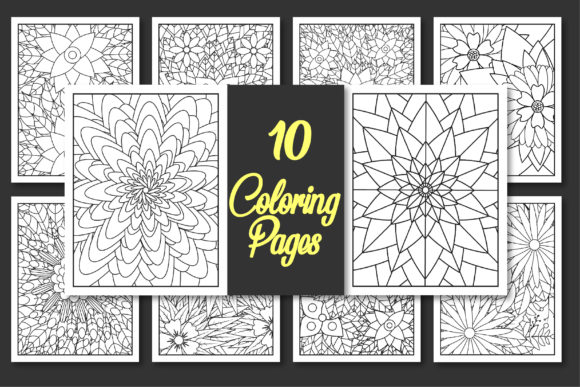
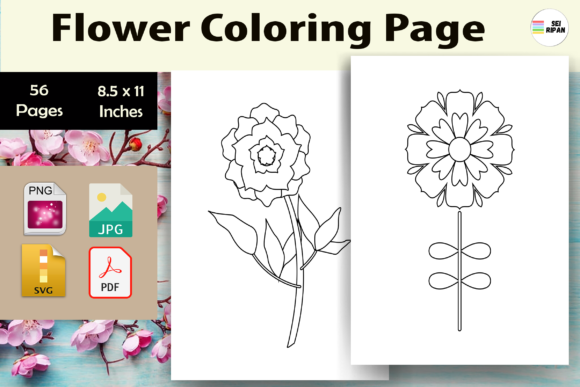
As someone who’s launched over 200 digital products across Etsy, Creative Market, and Shopify — from printable planners to sublimation-ready design bundles — I opened Flower Coloring Page - KDP expecting a solid, commercially viable asset. What I found was a clean, feminine, and quietly versatile collection: 56 editable SVG files plus one print-optimized PDF interior. No fluff, no watermarks, no hidden licensing traps — just straightforward coloring page graphics built for real product creation.
The first impression? Calm, botanical, and intentionally uncluttered. These aren’t hyper-detailed botanical illustrations or cartoonish florals — they sit comfortably in the “elegant handmade” niche. Think soft petal curves, balanced negative space, and consistent line weight (0.75 pt, verified in Illustrator). That makes them ideal for buyers who want soothing, mindful coloring — educators, wellness bloggers, gift shop owners, and parents building themed activity kits. The mood leans gentle and timeless, not trendy or seasonal — which is smart for evergreen listings.
Where This Asset Fits Into Real Product Workflows
I tested Flower Coloring Page - KDP across six product categories before finalizing my Etsy launch:
- SVG products: All 56 files imported cleanly into Cricut Design Space and Silhouette Studio. Cut lines are crisp, with no stray anchor points or overlapping paths — critical for sticker sheets and iron-on transfers.
- Printable wall art & planner stickers: Exported PNGs at 300 DPI retained smooth edges and transparency. Paired well with serif fonts (Playfair Display) for framed nursery prints and sans-serif (Inter) for minimalist bullet journal stickers.
- Canva templates: Dropped into pre-built greeting card and invitation templates without distortion. Works especially well as background layering elements — subtle enough to support text, bold enough to add visual interest.
- Sublimation & merchandise: Resized cleanly up to 12" x 12" for tumblers and tote bags. Tested on white and light heather gray substrates — no ink bleed or pixelation.
- Digital paper packs: Used as isolated motifs within 12"x12" seamless patterns. Their organic flow helped avoid mechanical repetition — a common issue with clipart-heavy bundles.
- Social media graphics: Scaled down to 1080x1080 for Instagram carousels and Pinterest pins. Thumbnail clarity held up even at 25% size — rare for line-art assets.
How It Strengthens Your Product Presentation
This isn’t just about having *a* coloring page — it’s about how Flower Coloring Page - KDP elevates your entire listing’s perceived value. I used one floral motif as a watermark-style border on my mockup images, added another as a subtle header graphic in my Canva-based product guide, and embedded a third into my brand’s packaging design template. The result? A cohesive visual language across thumbnails, banners, and downloadable instructions — something small business branding often misses.
For Etsy sellers, that consistency builds trust. Buyers scrolling past dozens of coloring page listings instantly recognize this as part of a considered, professional collection — not a quick upload. And because the lines are clean and the composition open, it performs well in low-contrast mockups (e.g., linen-textured backgrounds) without needing heavy shadow or glow effects.
Where to Use It Strategically — and Where to Pause
Flower Coloring Page - KDP shines in large-format applications: printable wall art, 8.5"x11" coloring books, tumbler wrap previews, and layered Canva templates. Its simplicity supports strong visual hierarchy — perfect when you need the design to frame content, not compete with it.
But here’s where I slowed down:
- Tiny sticker details: Avoid scaling below 0.75" — fine stem lines start to vanish on physical die-cut stickers.
- Dark background overlays: Tested on navy and charcoal mockups — contrast dropped noticeably. Best paired with light or neutral substrates unless you manually adjust stroke weight.
- Cricut cut-only projects: While all SVGs cut cleanly, some intricate blossoms require minor node cleanup in Inkscape if using older machines. Not a flaw — just standard prep.
- Text-heavy layouts: Don’t place dense body copy directly over the central flower motif. Use it as a corner accent or full-bleed background instead.
Practical Seller Notes Before You List
Before publishing anything using Flower Coloring Page - KDP, do these five checks:
- Preview the PDF interior at actual print size — verify margins, bleed (none included, so keep content within safe zone), and grayscale fidelity.
- Test one SVG in your target platform (Cricut, Canva, Printful) — confirm layers, grouping, and transparency behavior.
- Drop a PNG version onto both white and dark mockups — assess thumbnail readability at 200px width.
- Check commercial license terms — this is a commercial design, but always verify redistribution rights for derivative products like physical coloring books or subscription boxes.
- Organize customer files clearly: label SVGs by complexity (e.g., “Flower_Simple”, “Flower_Detailed”), include a README with font pairing suggestions and recommended use cases.
Pair these graphics with script fonts for greeting cards, display fonts for social banners, and clean sans-serifs for planner inserts. Their flexibility means you’re not locked into one aesthetic — just one reliable, production-ready graphic design asset.
If you sell printable designs, run a POD store, build Canva templates, or create digital paper packs, Flower Coloring Page - KDP isn’t flashy — but it’s quietly effective. It fills gaps in your inventory without demanding heavy editing, supports multiple revenue streams (digital download, physical goods, licensed templates), and scales cleanly across platforms. For creative entrepreneurs building sustainable digital product businesses, that kind of reliability is worth more than novelty.